
838 字
4 分钟
R2+worker+edgeone实现随机图搭建
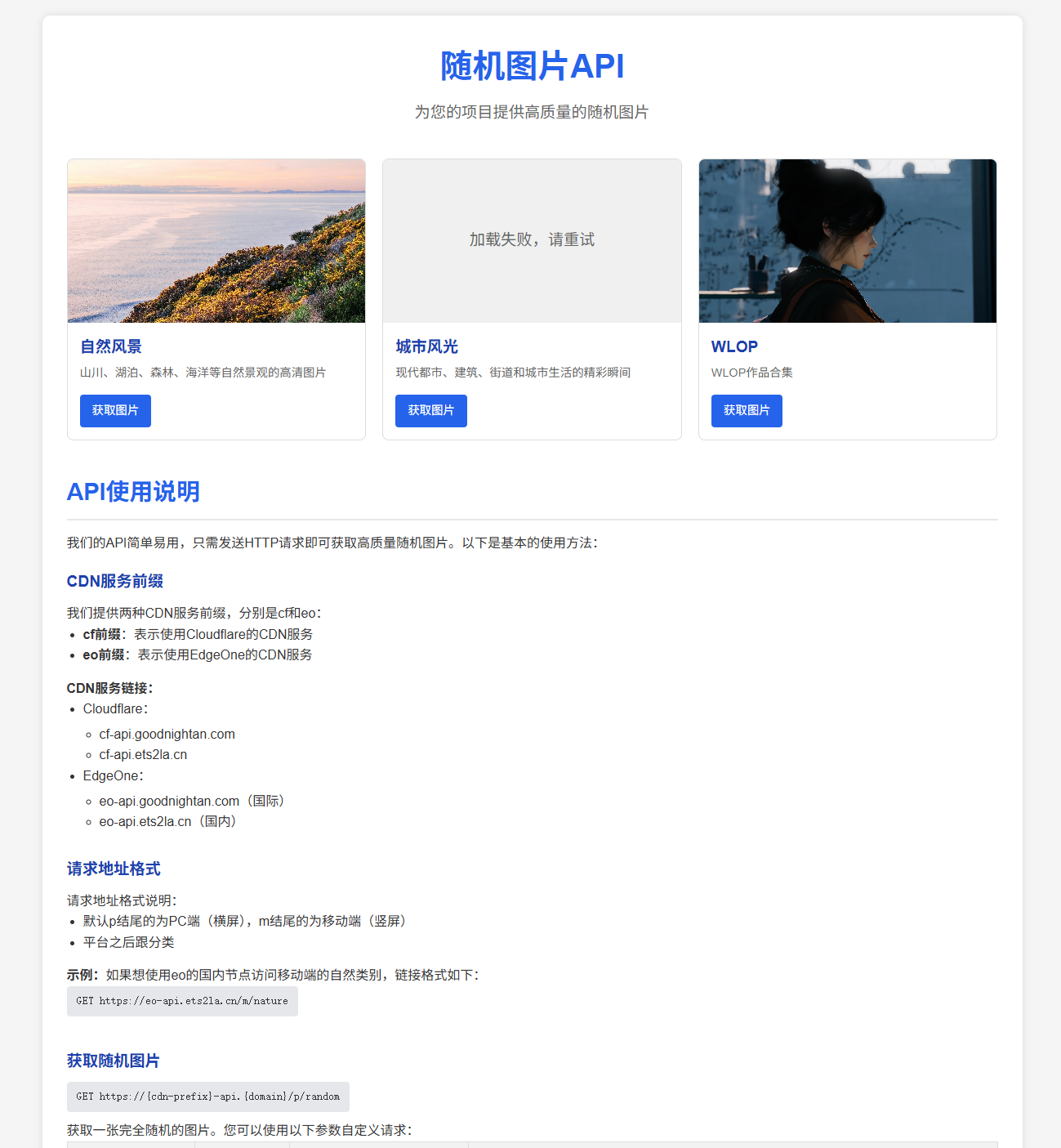
背景介绍
想用Cloudflare的R2存储配合Worker搭建随机图是因为我阿里云4-4的机器最近到期了,随着搭建的服务越来越多,4G内存的机器已经不能满足我的需求了,所以就趁着阿里云的机器到期和雨云7周年的活动,买了台雨云 4-8的机器;众所周知的,雨云的机器都是有流量限制的,为了避免流量用超了,所以就想到了白嫖cf大善人的方法。然后又是众所周知的问题,cf在国内的访问速度又是一坨,所以就有了edgeone。
准备工作
- 一个Cloudflare账号
- 一个托管到Cloudflare的域名
- edgeone的免费激活码
ps:edgeone不建议付费购买,能白嫖就白嫖;国际站测速分享一下就有2个了,国内站的话好像要购买机器才行,具体的怎么样我也没试过,我国内站的激活码是在官方Discord上抽奖抽的
部署过程
1. 部署worker
export default { async fetch(request, env, ctx) { const bucket = env.MY_BUCKET; const url = new URL(request.url); const pathname = url.pathname;
let prefix = '';
// 根据路径前缀判断 if (pathname.startsWith('/p')) { prefix = 'landscape' + pathname.replace(/^\/p/, ''); //后缀p表示pc端,桶内pc端图片放在landscape文件夹下 } else if (pathname.startsWith('/m')) { prefix = 'portrait' + pathname.replace(/^\/m/, ''); //后缀m表示移动端,桶内移动端图片放在portrait文件夹下 } else { return new Response('Invalid path', { status: 400 }); }
// 确保以 "/" 结尾(表示目录) if (!prefix.endsWith('/')) { prefix += '/'; }
try { const objects = await bucket.list({ prefix }); const items = objects.objects;
if (!items || items.length === 0) { return new Response('No images found', { status: 404 }); }
// 随机选一个对象 const randomItem = items[Math.floor(Math.random() * items.length)]; const object = await bucket.get(randomItem.key);
if (!object) { return new Response('Image not found', { status: 404 }); }
// 自动识别 Content-Type let contentType = object.httpMetadata?.contentType; if (!contentType) { const ext = randomItem.key.split('.').pop().toLowerCase(); switch (ext) { case 'jpg': case 'jpeg': contentType = 'image/jpeg'; break; case 'png': contentType = 'image/png'; break; case 'gif': contentType = 'image/gif'; break; case 'webp': contentType = 'image/webp'; break; case 'bmp': contentType = 'image/bmp'; break; case 'svg': contentType = 'image/svg+xml'; break; default: contentType = 'application/octet-stream'; } }
const headers = new Headers(); headers.set('Content-Type', contentType);
return new Response(object.body, { headers }); } catch (error) { console.error('Error:', error); return new Response('Internal Server Error', { status: 500 }); } },};2. 绑定R2存储
找到worker中的 绑定 ,点击 添加绑定 ,在左侧选择 R2存储桶 ,在点击 添加绑定 ,变量名称填:MY_BUCKET,存储桶就选择你的R2存储桶,点击 添加绑定 即可。
至此,你就可以用worker提供的默认域名访问服务了,但是默认域名*.workers.dev,国内无法访问,所以要么绑定自定义域名,要么使用edgeone来加速。
edgeone 加速折腾
1.国内站
ps:域名要过ICP备案,不然用不了
新建路由,具体样式是这样的
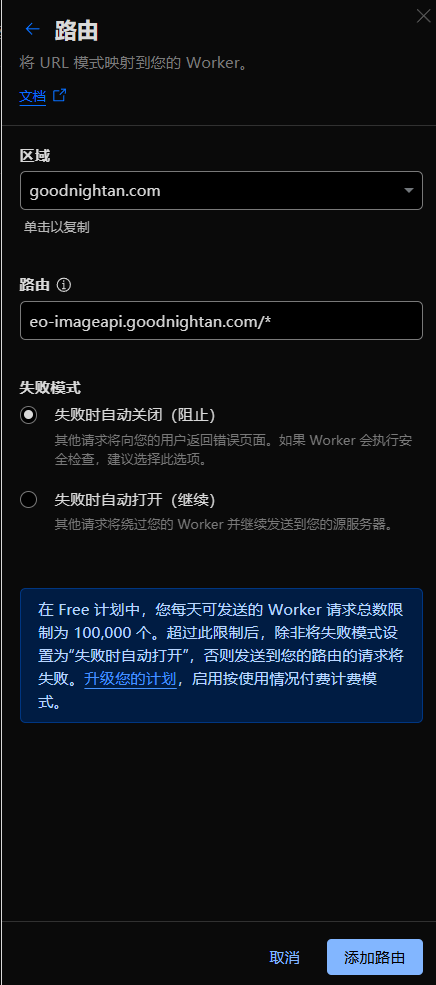
ps:国内站的话默认是无法访问到worker提供的默认域名的,只能自定义一个域名,然后将edgeone的源站配置为自定义域名即可。
2. 国际站
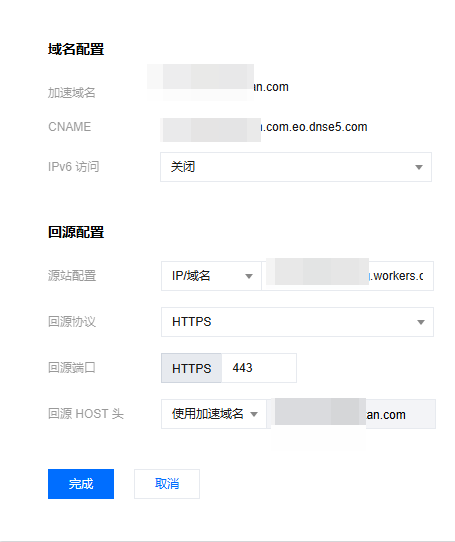
国际站的话,直接将edgeone的源站配置为worker提供的默认域名即可。
3. 结果
国际站配置的打开速度会快一点,但是容易出现访问不到的情况
国内站因为多走了一遍自己的域名,所以速度会慢一点
ps:国际站没有设置优选
R2+worker+edgeone实现随机图搭建
https://blog.goodnightan.com/posts/random-api/